WINDOWS SERVER CORE
Tout d'abord importer le package .msi de Zabbix Agent sur le Serveur Windows Core.
Le plus simple : créer un dossier partager et importer le fichier depuis le premier serveur AD.
- Sur le Windows Core (à modifier avec vos préférences):
New-Item "C:\SharedFolder" -itemType Directory New-SmbShare -Name SharedFolder -Path "C:\SharedFolder" -FullAccess "Tout le monde"Depuis le ad-front-01
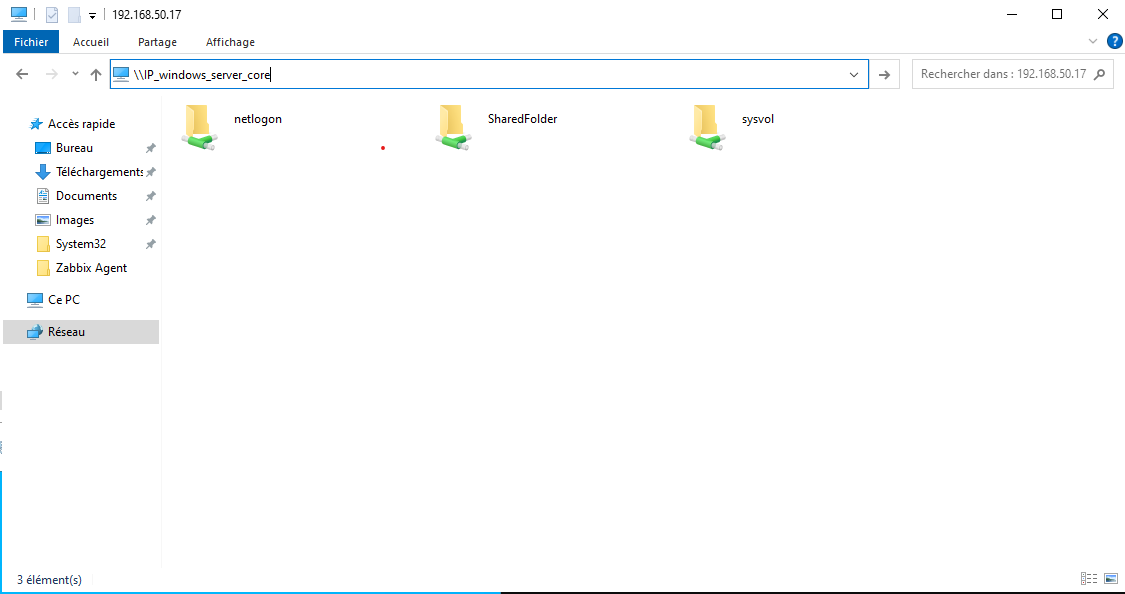
- Sur Windows Core, exécuter le package .msi et suivre l'installation. (à modifier si besoin)
msiexec.exe /i C:\SharedFolder\zabbix_agent-6.4.10-windows-amd64-openssl.msi- Maintenant faire les modifications nécessaires sur le fichier de conf
notepad 'C:\Program Files\Zabbix Agent\zabbix_agentd.conf'IMPORTANT : Le serveur de monitoring doit être renseigner avec le domaine donc : zab-front-01.megaproduction.local
- Autoriser le pare-feu de Windows a communiquer avec le serveur A EXECUTER EN POWERSHELL
netsh advfirewall firewall add rule name="ICMP Allow incoming V4 echo request" protocol="icmpv4:8,any" dir=in action=allownetsh advfirewall firewall add rule name="Open Port 10050" dir=in action=allow protocol=TCP localport=10050- Enfin redémarrer le service et vérifier si Zabbix reçoit bien les données.
Restart-Service 'Zabbix Agent'
Divers
- Le fichier de log , utile pour comprendre le problème
notepad 'C:\Program Files\Zabbix Agent\zabbix_agentd.log'