# Installation de GNS3 sur WINDOWS

### Prérequis

- Avoir Windows d'installé.
- Avoir activé la virtualisation du processeur dans le Bios.
- 4GB de RAM
- Processeur avec au moins 2 cœurs (logique)
- 1 GB de stockage

### Installation du software

- Télécharger le software sur [Lien vers la page de téléchargement](https://www.gns3.com/software/download).
- Il faudra vous créer un compte ou s'authentifier  
    [![image.png](https://book.techoops.fr/uploads/images/gallery/2023-11/scaled-1680-/image.png)](https://book.techoops.fr/uploads/images/gallery/2023-11/image.png)
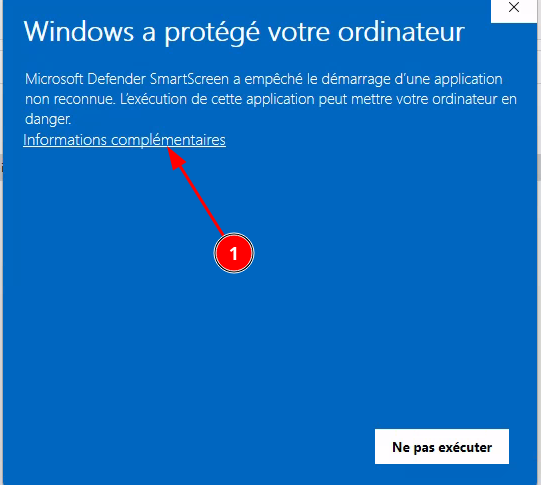
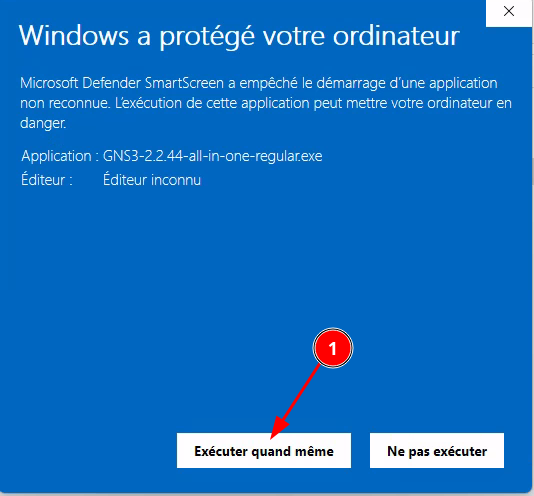
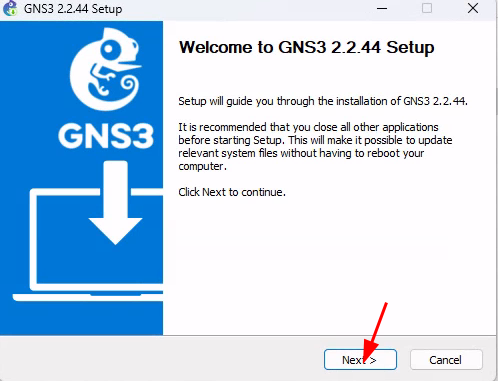
- Une fois l'installateur téléchargé il vous faudra l’exécuter <p class="callout info">Sur windows11 il se peut qu'une popup vous informe d'un danger potentiel -&gt; éxecutez l'installateur quand même.</p>
    
    <p class="callout info">[![image.png](https://book.techoops.fr/uploads/images/gallery/2023-11/scaled-1680-/YZhimage.png)](https://book.techoops.fr/uploads/images/gallery/2023-11/YZhimage.png)  
    </p>
    
    <p class="callout info">[![image.png](https://book.techoops.fr/uploads/images/gallery/2023-11/scaled-1680-/QD8image.png)](https://book.techoops.fr/uploads/images/gallery/2023-11/QD8image.png)</p>
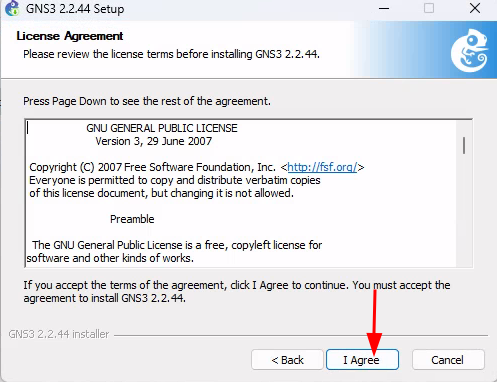
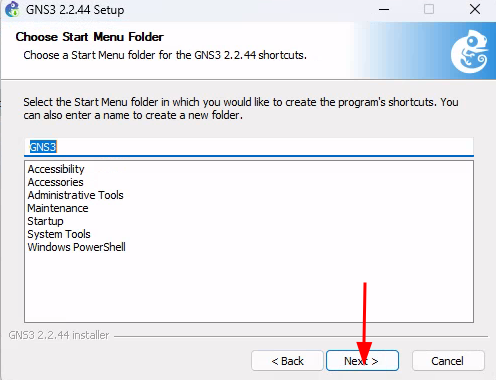
- Sélectinnez les bonnes options  
    [![image.png](https://book.techoops.fr/uploads/images/gallery/2023-11/scaled-1680-/q4Rimage.png)](https://book.techoops.fr/uploads/images/gallery/2023-11/q4Rimage.png)
    
    [![image.png](https://book.techoops.fr/uploads/images/gallery/2023-11/scaled-1680-/hdPimage.png)](https://book.techoops.fr/uploads/images/gallery/2023-11/hdPimage.png)
    
    [![image.png](https://book.techoops.fr/uploads/images/gallery/2023-11/scaled-1680-/XzLimage.png)](https://book.techoops.fr/uploads/images/gallery/2023-11/XzLimage.png)
    
    [![image.png](https://book.techoops.fr/uploads/images/gallery/2023-11/scaled-1680-/bBuimage.png)](https://book.techoops.fr/uploads/images/gallery/2023-11/bBuimage.png)
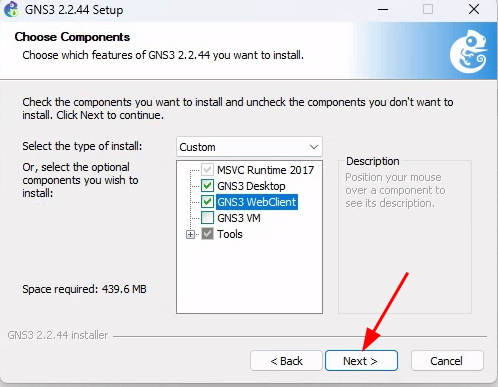
    
    [![image.png](https://book.techoops.fr/uploads/images/gallery/2023-11/scaled-1680-/LIbimage.png)](https://book.techoops.fr/uploads/images/gallery/2023-11/LIbimage.png)
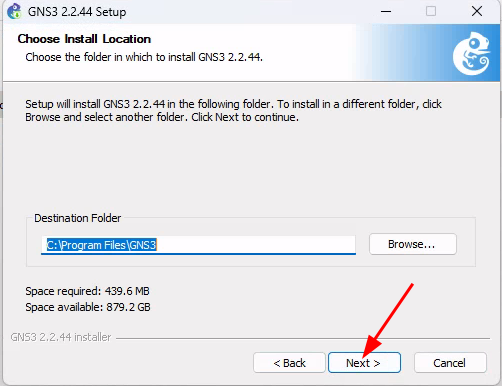
    
    [![image.png](https://book.techoops.fr/uploads/images/gallery/2023-11/scaled-1680-/zBkimage.png)](https://book.techoops.fr/uploads/images/gallery/2023-11/zBkimage.png)
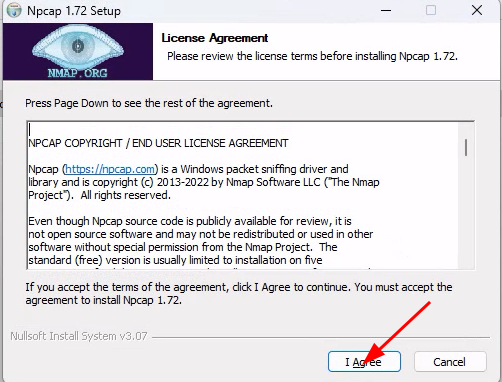
    
    [![image.png](https://book.techoops.fr/uploads/images/gallery/2023-11/scaled-1680-/449image.png)](https://book.techoops.fr/uploads/images/gallery/2023-11/449image.png)
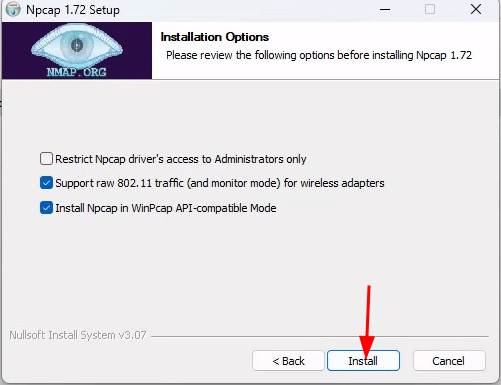
    
    [![image.png](https://book.techoops.fr/uploads/images/gallery/2023-11/scaled-1680-/Rv8image.png)](https://book.techoops.fr/uploads/images/gallery/2023-11/Rv8image.png)
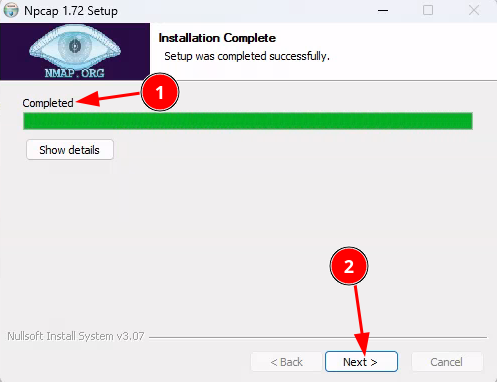
    
    [![image.png](https://book.techoops.fr/uploads/images/gallery/2023-11/scaled-1680-/ghnimage.png)](https://book.techoops.fr/uploads/images/gallery/2023-11/ghnimage.png)
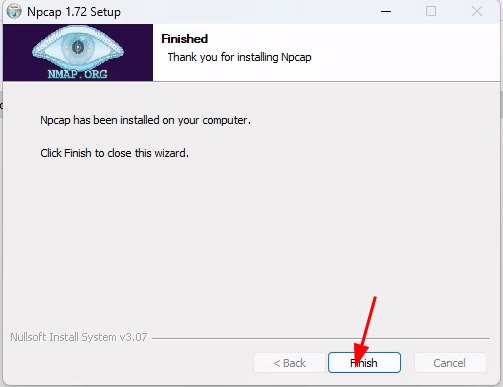
    
    [![image.png](https://book.techoops.fr/uploads/images/gallery/2023-11/scaled-1680-/1UAimage.png)](https://book.techoops.fr/uploads/images/gallery/2023-11/1UAimage.png)
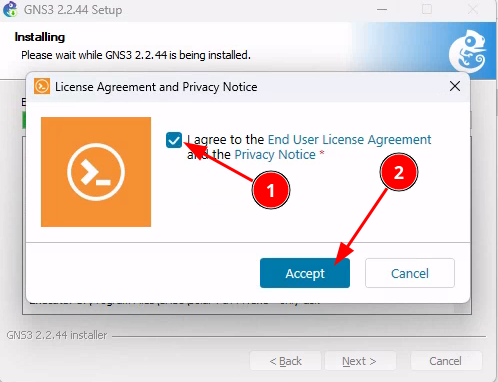
    
    [![image.png](https://book.techoops.fr/uploads/images/gallery/2023-11/scaled-1680-/HK1image.png)](https://book.techoops.fr/uploads/images/gallery/2023-11/HK1image.png)
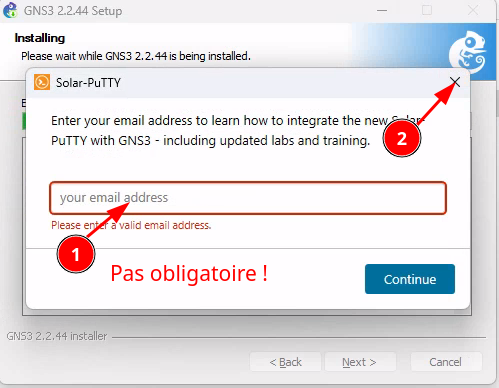
    
    [![image.png](https://book.techoops.fr/uploads/images/gallery/2023-11/scaled-1680-/l8eimage.png)](https://book.techoops.fr/uploads/images/gallery/2023-11/l8eimage.png)
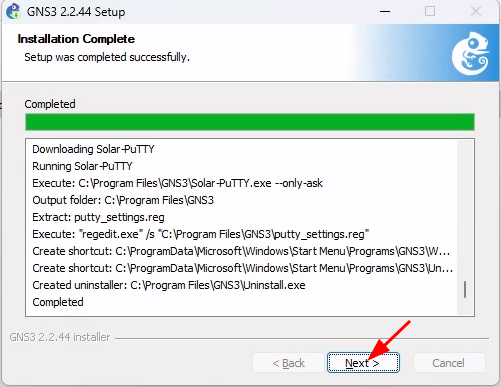
    
    [![image.png](https://book.techoops.fr/uploads/images/gallery/2023-11/scaled-1680-/WUvimage.png)](https://book.techoops.fr/uploads/images/gallery/2023-11/WUvimage.png)
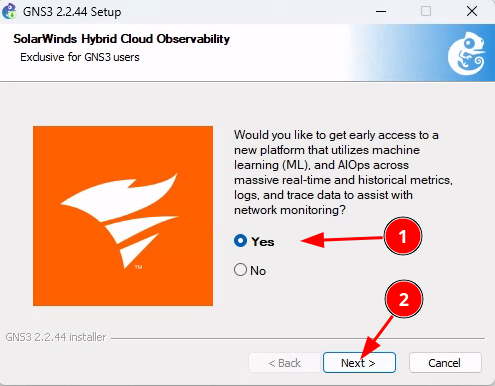
    
    [![image.png](https://book.techoops.fr/uploads/images/gallery/2023-11/scaled-1680-/V9kimage.png)](https://book.techoops.fr/uploads/images/gallery/2023-11/V9kimage.png)
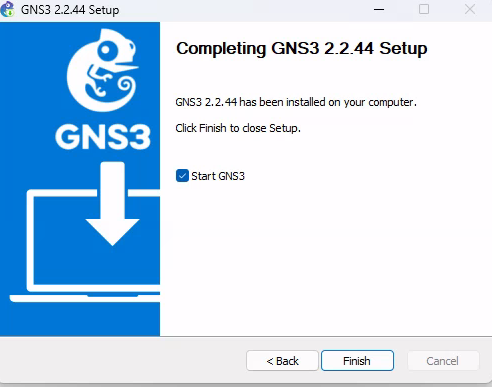
    
    [![image.png](https://book.techoops.fr/uploads/images/gallery/2023-11/scaled-1680-/lv0image.png)](https://book.techoops.fr/uploads/images/gallery/2023-11/lv0image.png)
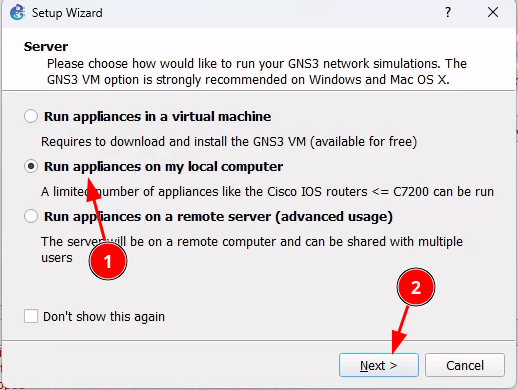
    
    [![image.png](https://book.techoops.fr/uploads/images/gallery/2023-11/scaled-1680-/pA1image.png)](https://book.techoops.fr/uploads/images/gallery/2023-11/pA1image.png)
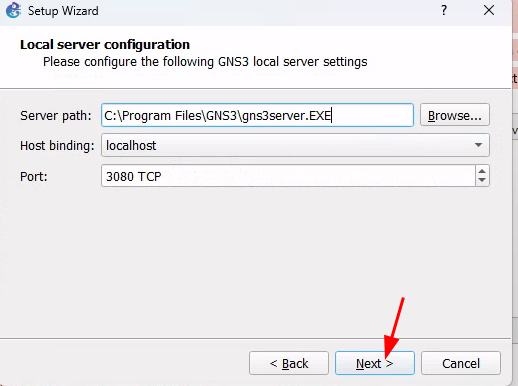
- Voila GNS3 est installé  
    [![image.png](https://book.techoops.fr/uploads/images/gallery/2023-11/scaled-1680-/Tr7image.png)](https://book.techoops.fr/uploads/images/gallery/2023-11/Tr7image.png)
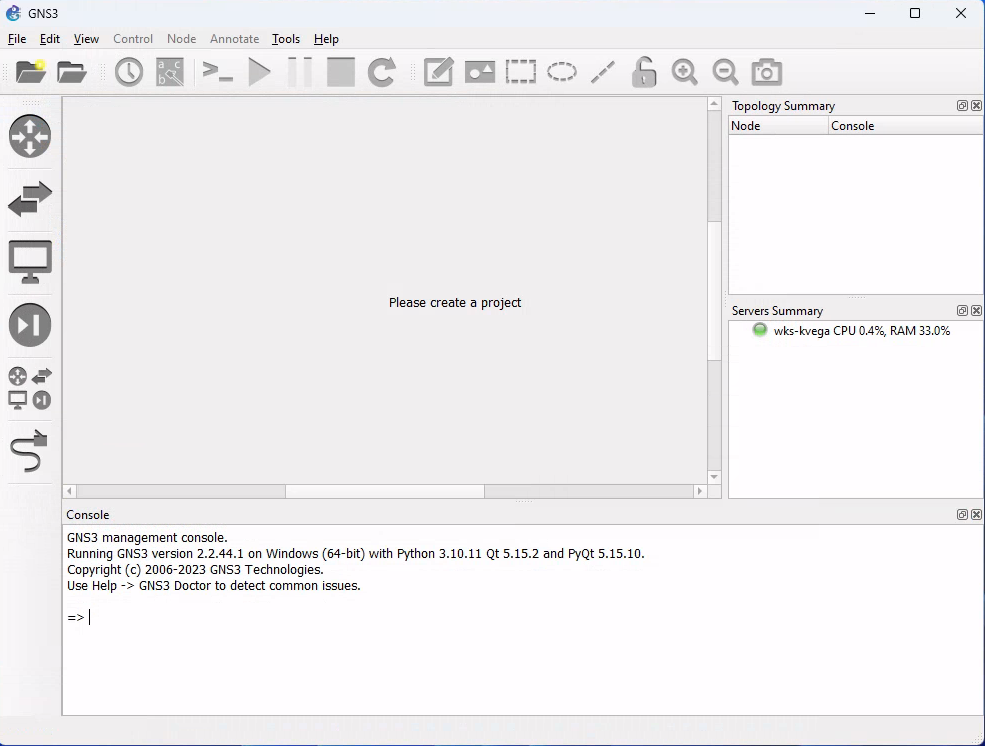
- Comme vous pouvez le constater à ce stade vous ne pouvez pas utiliser tout les routeur.

### Problème rencontré

<p class="callout warning">[![image.png](https://book.techoops.fr/uploads/images/gallery/2023-11/scaled-1680-/3uWimage.png)](https://book.techoops.fr/uploads/images/gallery/2023-11/3uWimage.png)</p>

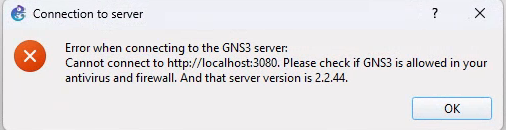
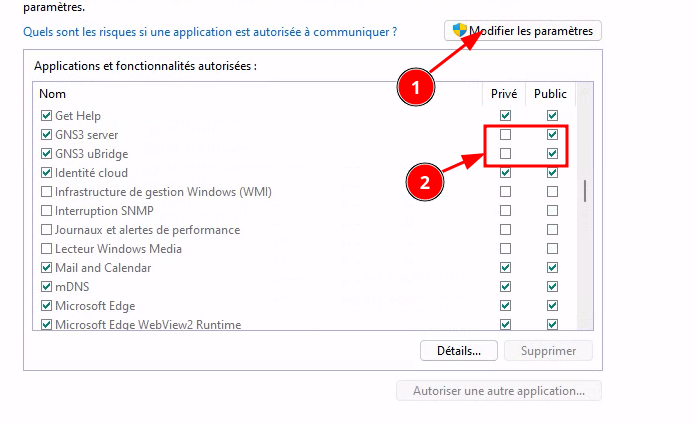
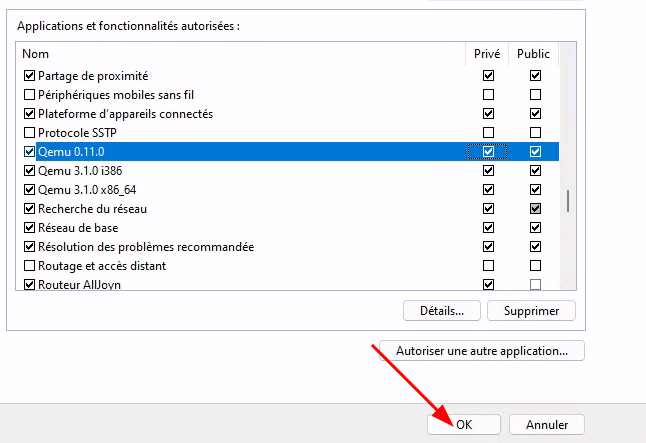
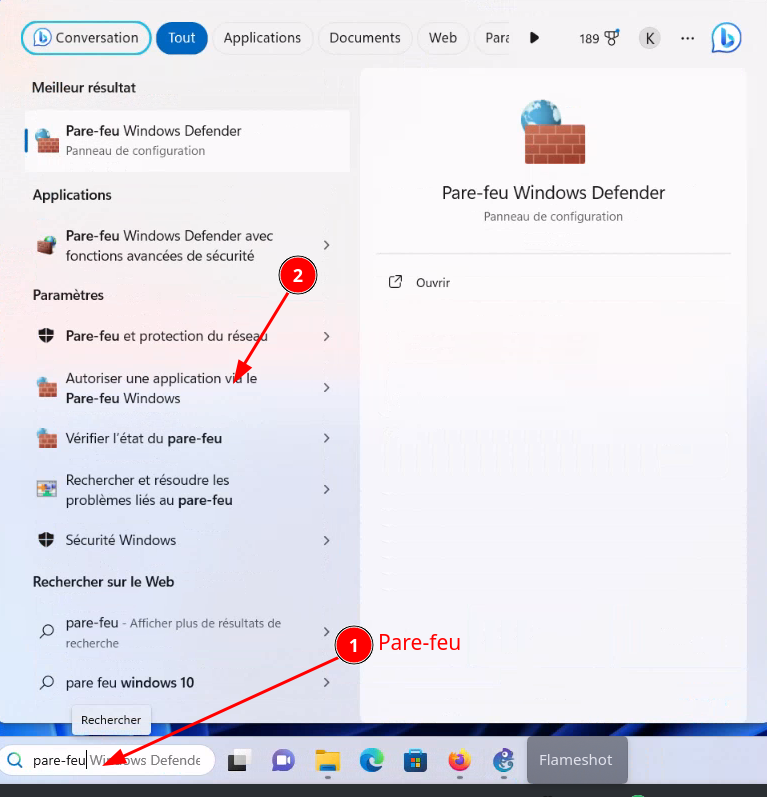
<p class="callout warning">Si vous avez cette erreur alors autoriser GNS3 sur le Pare-feu Windows[![image.png](https://book.techoops.fr/uploads/images/gallery/2023-11/scaled-1680-/6t9image.png)](https://book.techoops.fr/uploads/images/gallery/2023-11/6t9image.png)</p>
<p class="callout warning">[![image.png](https://book.techoops.fr/uploads/images/gallery/2023-11/scaled-1680-/B4Oimage.png)](https://book.techoops.fr/uploads/images/gallery/2023-11/B4Oimage.png)</p>

<p class="callout warning">[![image.png](https://book.techoops.fr/uploads/images/gallery/2023-11/scaled-1680-/Mz3image.png)](https://book.techoops.fr/uploads/images/gallery/2023-11/Mz3image.png)</p>

<p class="callout warning">[![image.png](https://book.techoops.fr/uploads/images/gallery/2023-11/scaled-1680-/nG7image.png)](https://book.techoops.fr/uploads/images/gallery/2023-11/nG7image.png)  
Après un redémarrage de GNS3 tout rentrera dans l'ordre.  
**PS: Pensez aussi à faire les mises à jours Windows.**  
</p>