# INSTALLATION
## **Installation d’un active Directory**
---
### Installation Manuelle:
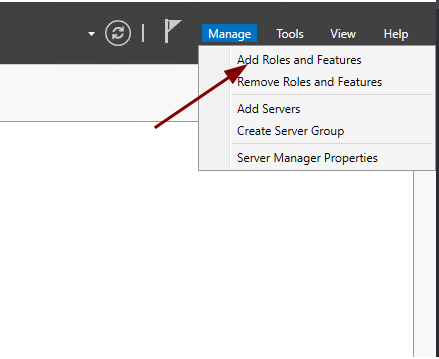
1. Ouvrir le Server Manager
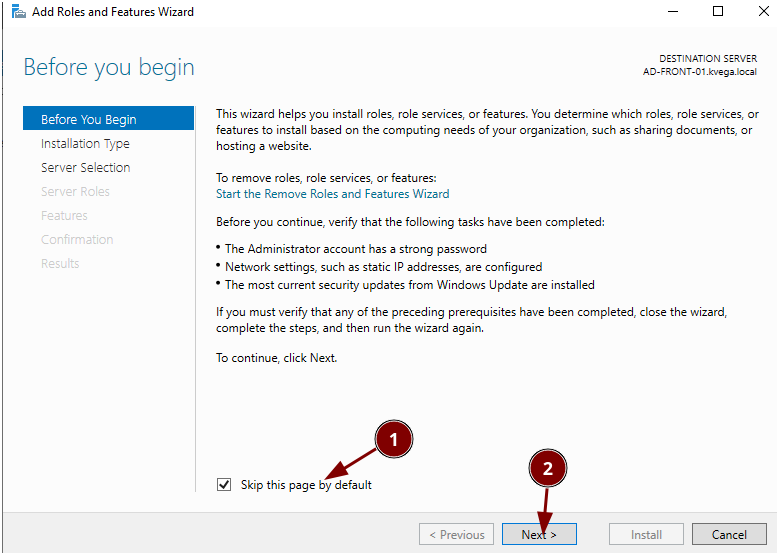
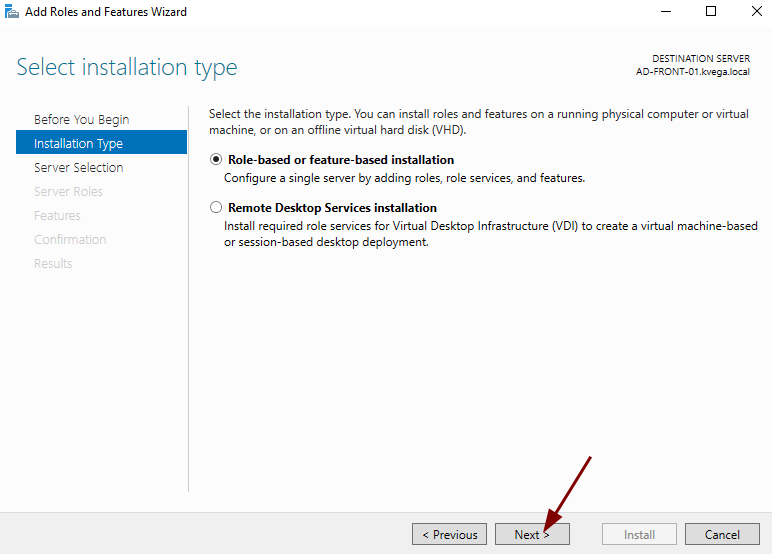
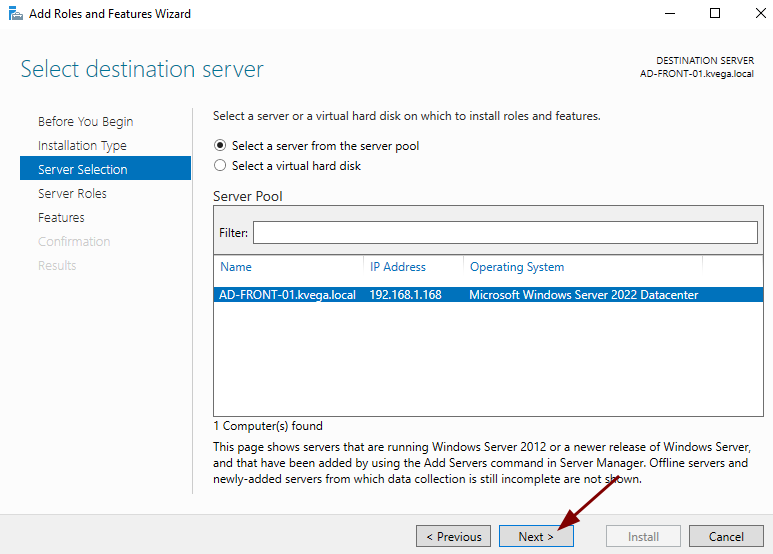
2. Ajouter des rôles et des fonctionnalités
[](https://book.techoops.fr/uploads/images/gallery/2023-10/SH9image.png)
[](https://book.techoops.fr/uploads/images/gallery/2023-10/11Vimage.png)
[](https://book.techoops.fr/uploads/images/gallery/2023-10/GmEimage.png)
[](https://book.techoops.fr/uploads/images/gallery/2023-10/qINimage.png)
[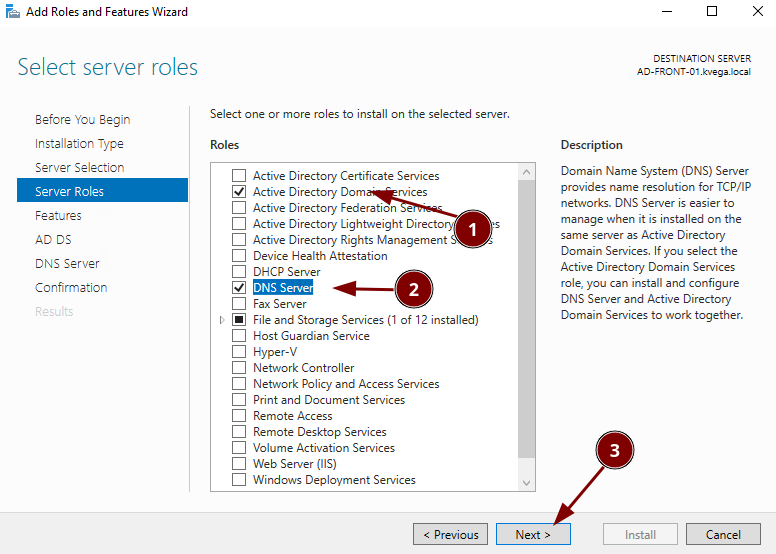](https://book.techoops.fr/uploads/images/gallery/2023-10/LBkimage.png)
[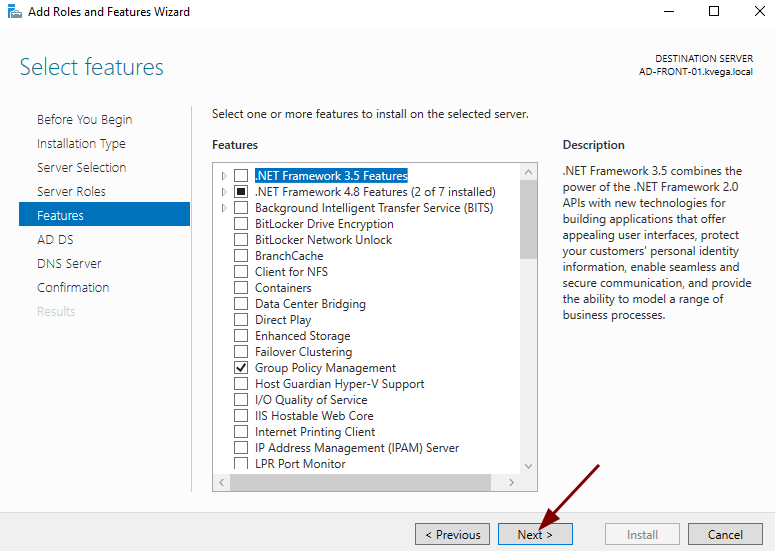](https://book.techoops.fr/uploads/images/gallery/2023-10/zbzimage.png)
[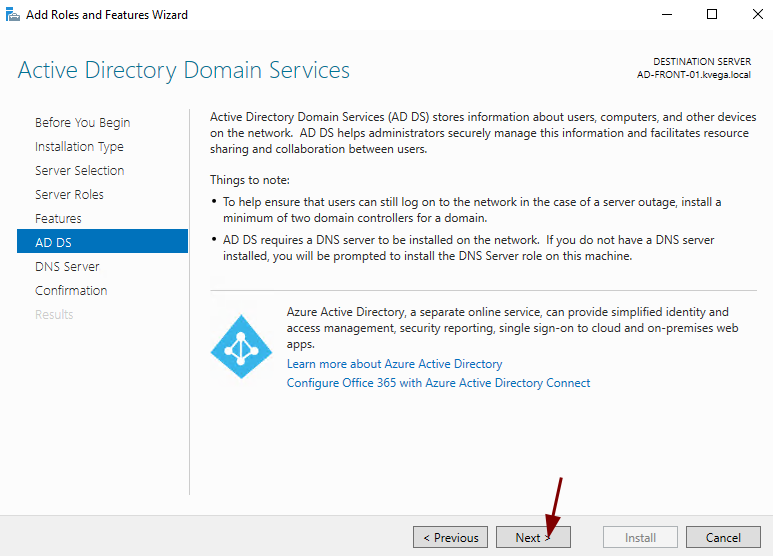](https://book.techoops.fr/uploads/images/gallery/2023-10/kDRimage.png)
[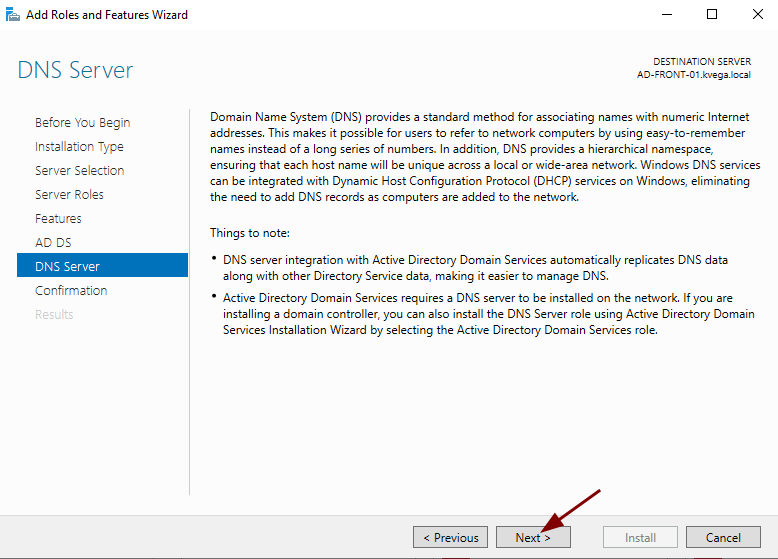](https://book.techoops.fr/uploads/images/gallery/2023-10/c5wimage.png)
[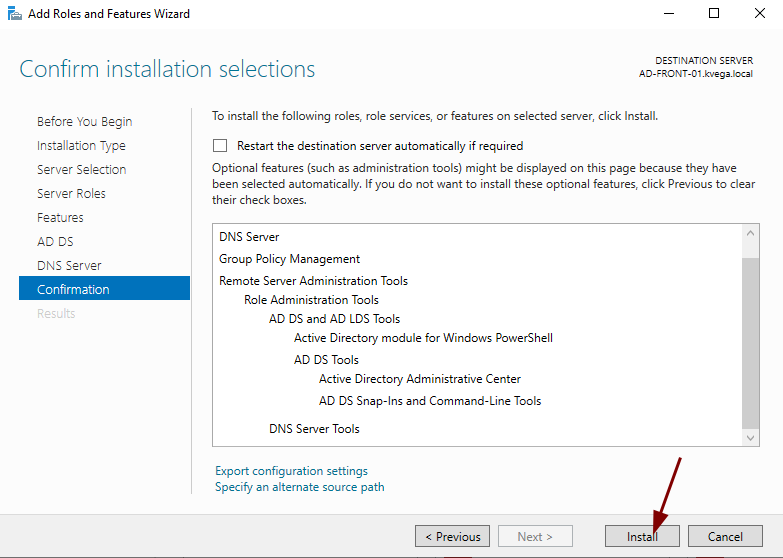](https://book.techoops.fr/uploads/images/gallery/2023-10/Qcvimage.png)
3. Attente de la fin d'installation
[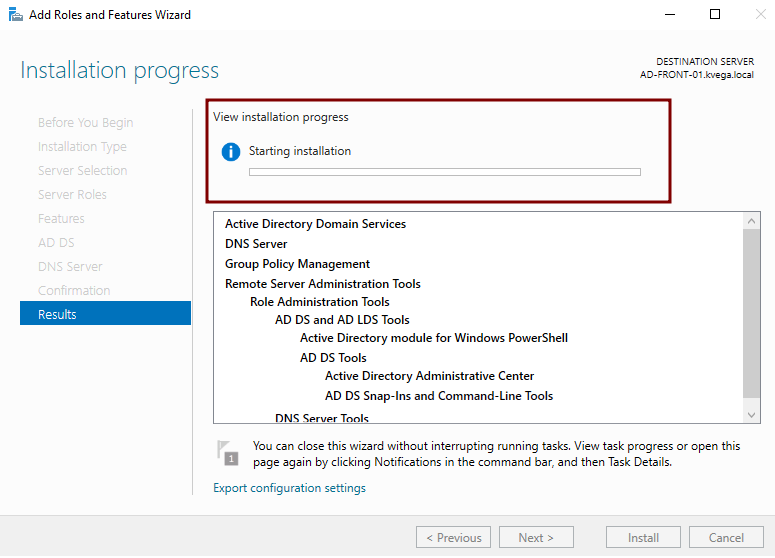](https://book.techoops.fr/uploads/images/gallery/2023-10/NKFimage.png)
4. Promouvoir le serveur quand l'installation est terminée
[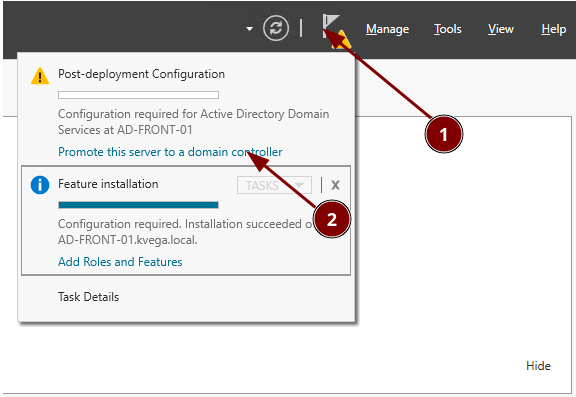](https://book.techoops.fr/uploads/images/gallery/2023-10/wHyimage.png)
5. Créer la nouvelle forêt
[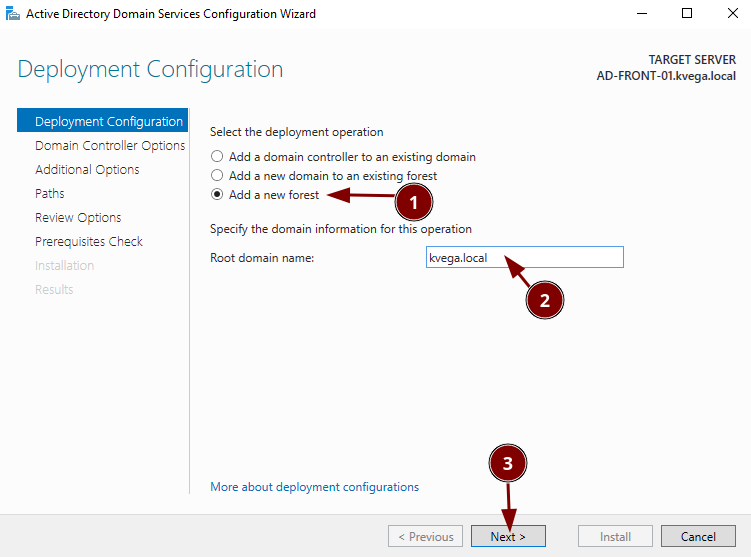](https://book.techoops.fr/uploads/images/gallery/2023-10/Sbtimage.png)
6. Créer le mot de passe de récupération
[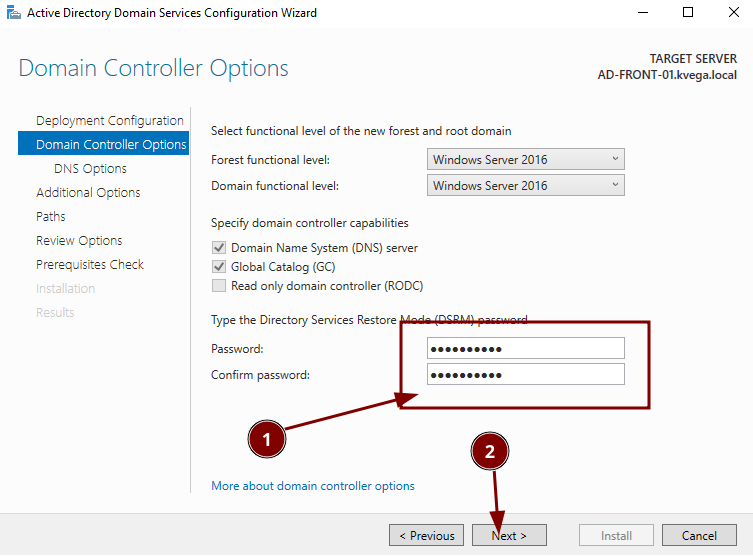](https://book.techoops.fr/uploads/images/gallery/2023-10/f6timage.png)
7. Ne pas créer de délégation DNS. Faire Next
8. Laisser le nom netbios par défault
[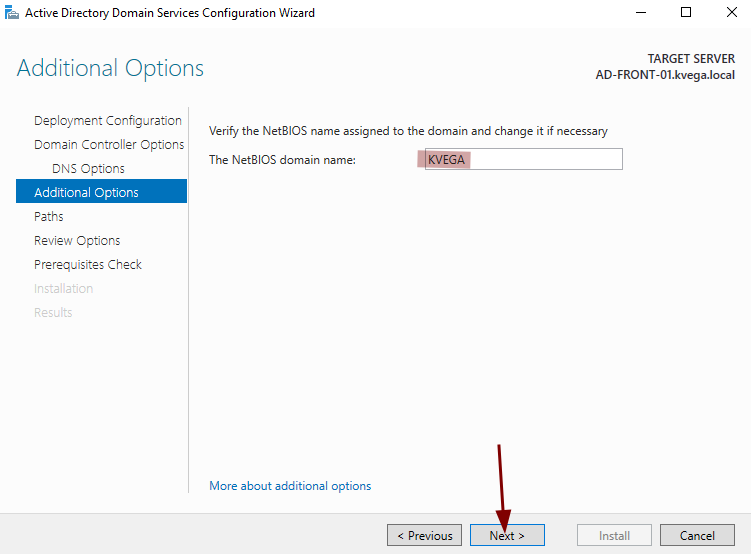](https://book.techoops.fr/uploads/images/gallery/2023-10/T51image.png)
9. Laisser les chemins par défaut
10. Réviser les modifications éffectuées
11. Laisser le check tourner et installer
[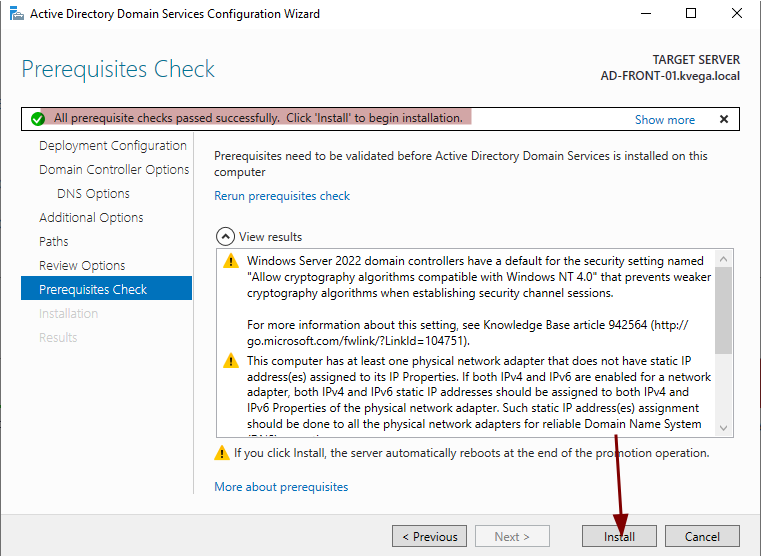](https://book.techoops.fr/uploads/images/gallery/2023-10/wBYimage.png)
12. Une fois installé si le serveur ne redémarre pas de lui même, le redémarrer à la main
---
### Installation d’un active Directory Mode CORE
Prérequis : Network OK, Sur le domaine et le bon nom d’ordinateur
```powershell
install-windowsfeature AD-Domain-Services
Install-ADDSDomainController -InstallDns -Credential (Get-Credential "CORP\Administrator") -DomainName "corp.contoso.com"
```